The same folders, every time you start
Every project begins the same way: same structure, same starter files, same setup done by hand. Prefab records it once and rebuilds it whenever you need it, filling in the names as it goes.
macOS 14.6 or later · sandboxed, with no network accessWindows 10 version 2004 or later · 61 MB · not signed yet, so Windows will warn - what to expect
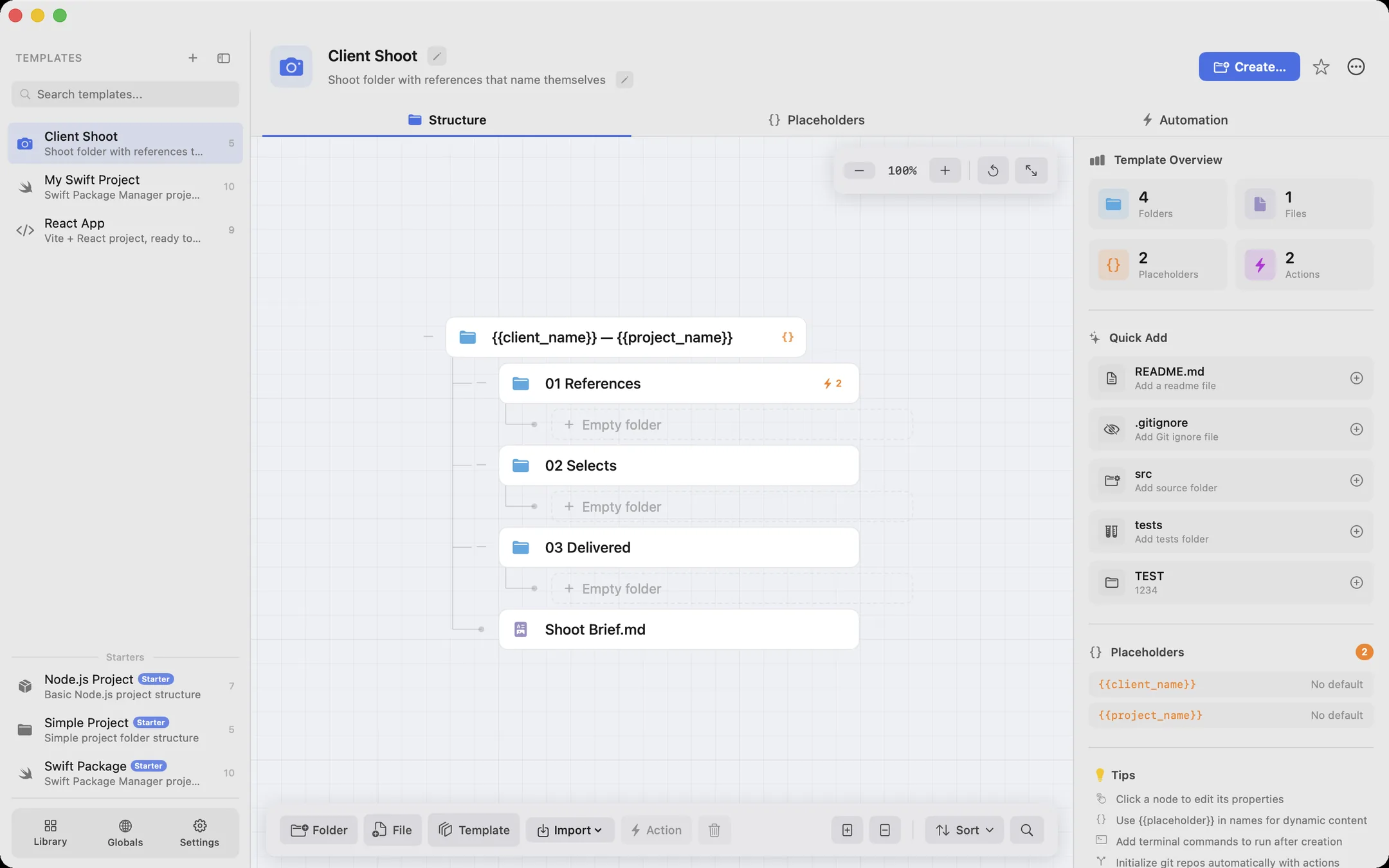
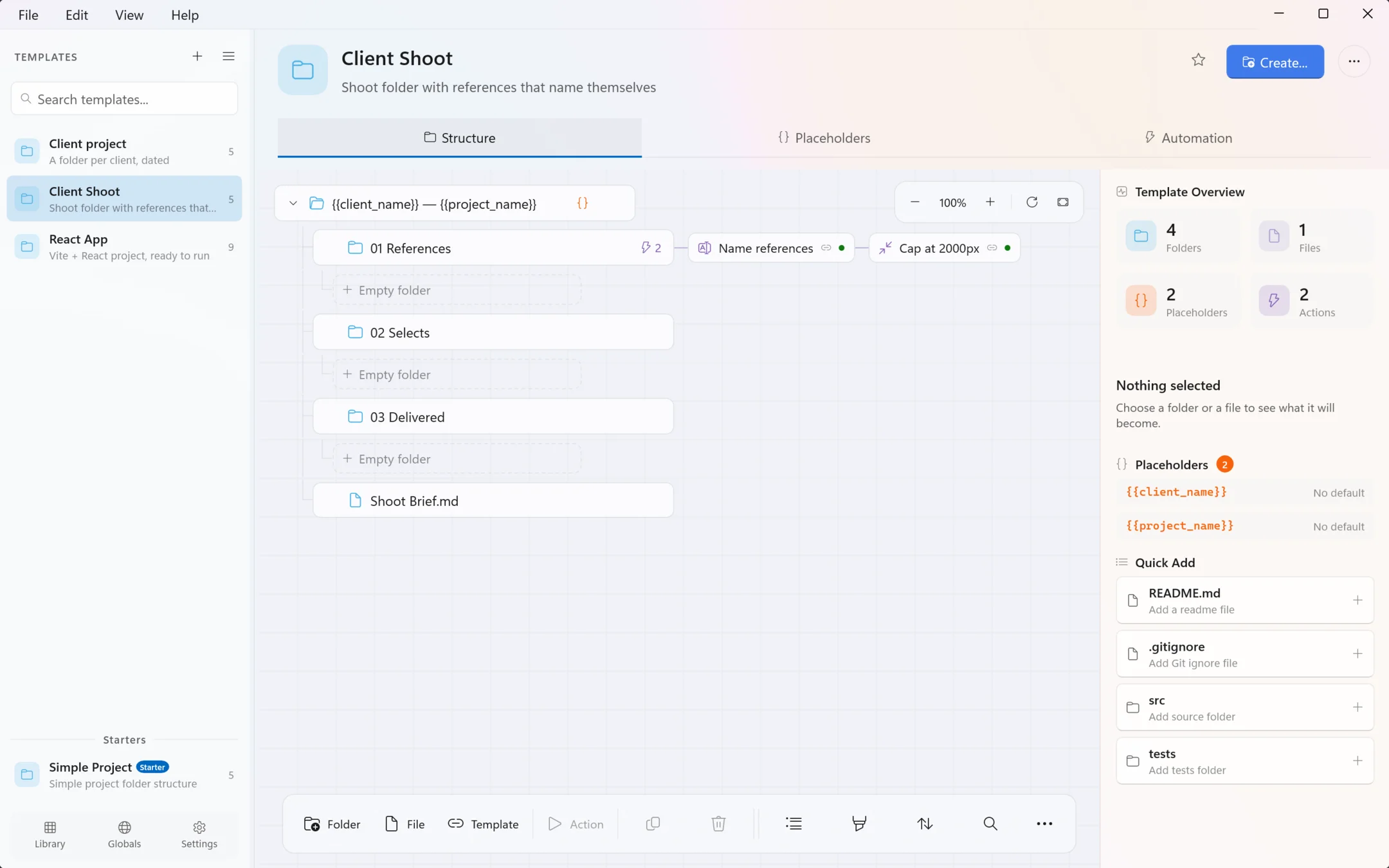
- {{client_name}} — {{project_name}}
- 01 References
- 02 Selects
- 03 Delivered
- Shoot Brief.md
- Northwind — Autumn Campaign
- 01 References
- 02 Selects
- 03 Delivered
- Shoot Brief.md
Everything Prefab does, in the shape it does it
Click through the columns. Each one is a real part of the app, and the clips were recorded from it.
Structure
Lay folders and files out on a canvas: what you see is what gets created. Folders carry Finder tags and icons, files Files carry their starter contents.
Already have a project laid out the way you like? Hand Prefab the folder and it reads the shape back as a template - structure only, or the file contents too.
Structure
Lay folders and files out on a canvas: what you see is what gets created. Folders carry Finder tags and icons, files Files carry their starter contents.
Already have a project laid out the way you like? Hand Prefab the folder and it reads the shape back as a template - structure only, or the file contents too.
A native app, not a folder script with a window on it
Six things it saves you doing again
- Build it, or import it
Lay out folders and files by hand, or hand Prefab a project you already have and let it read the shape back.
- Names that fill themselves in
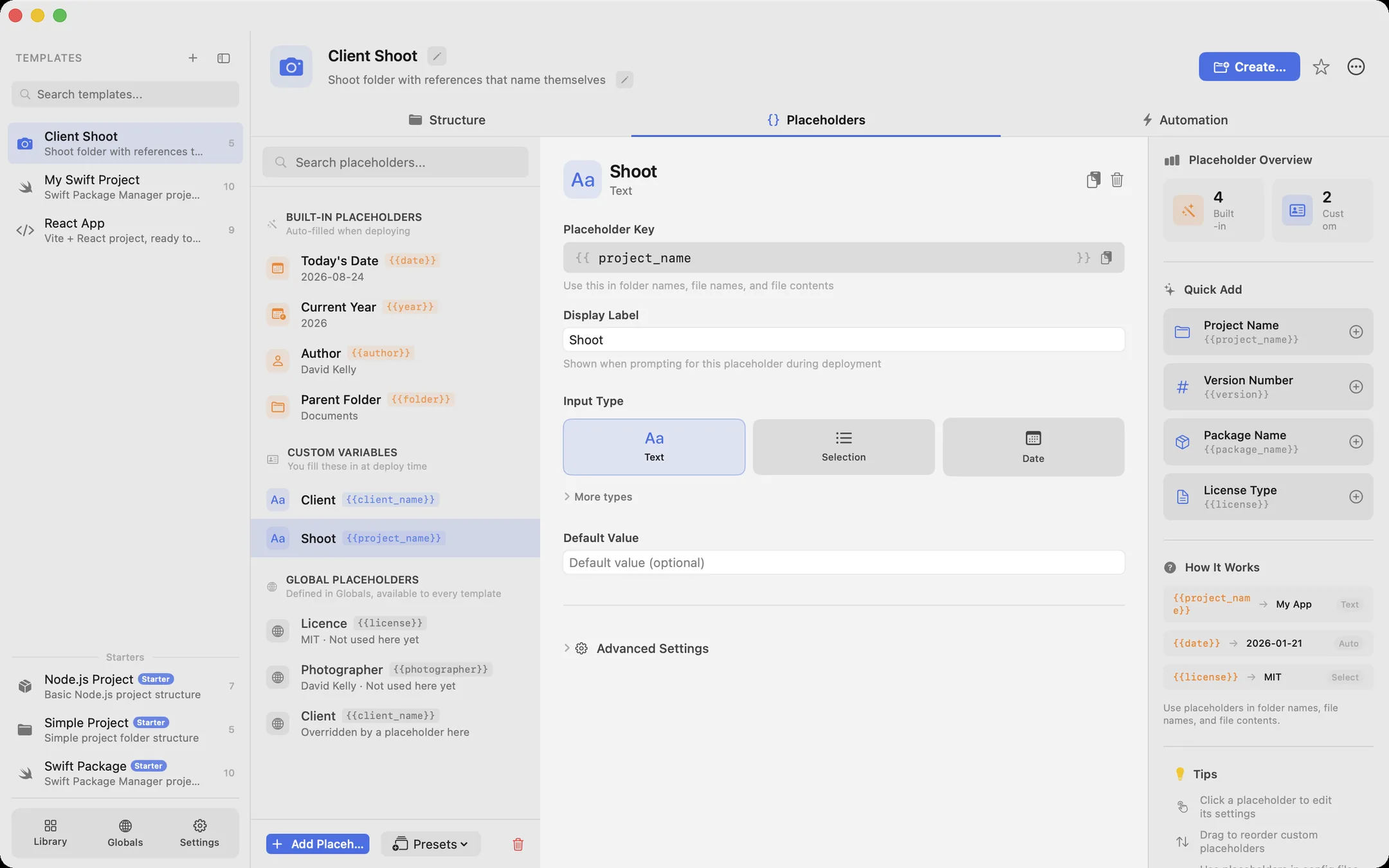
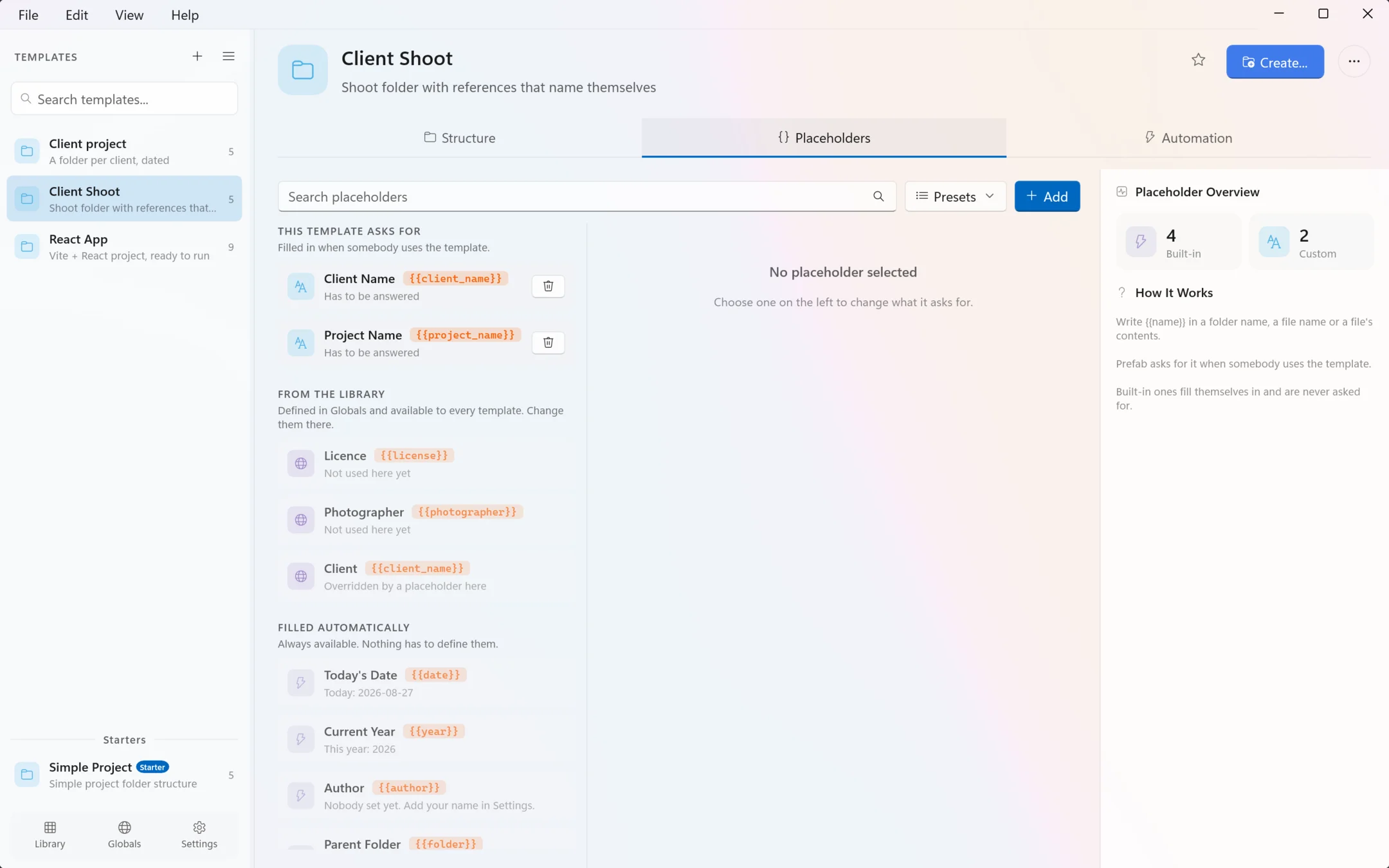
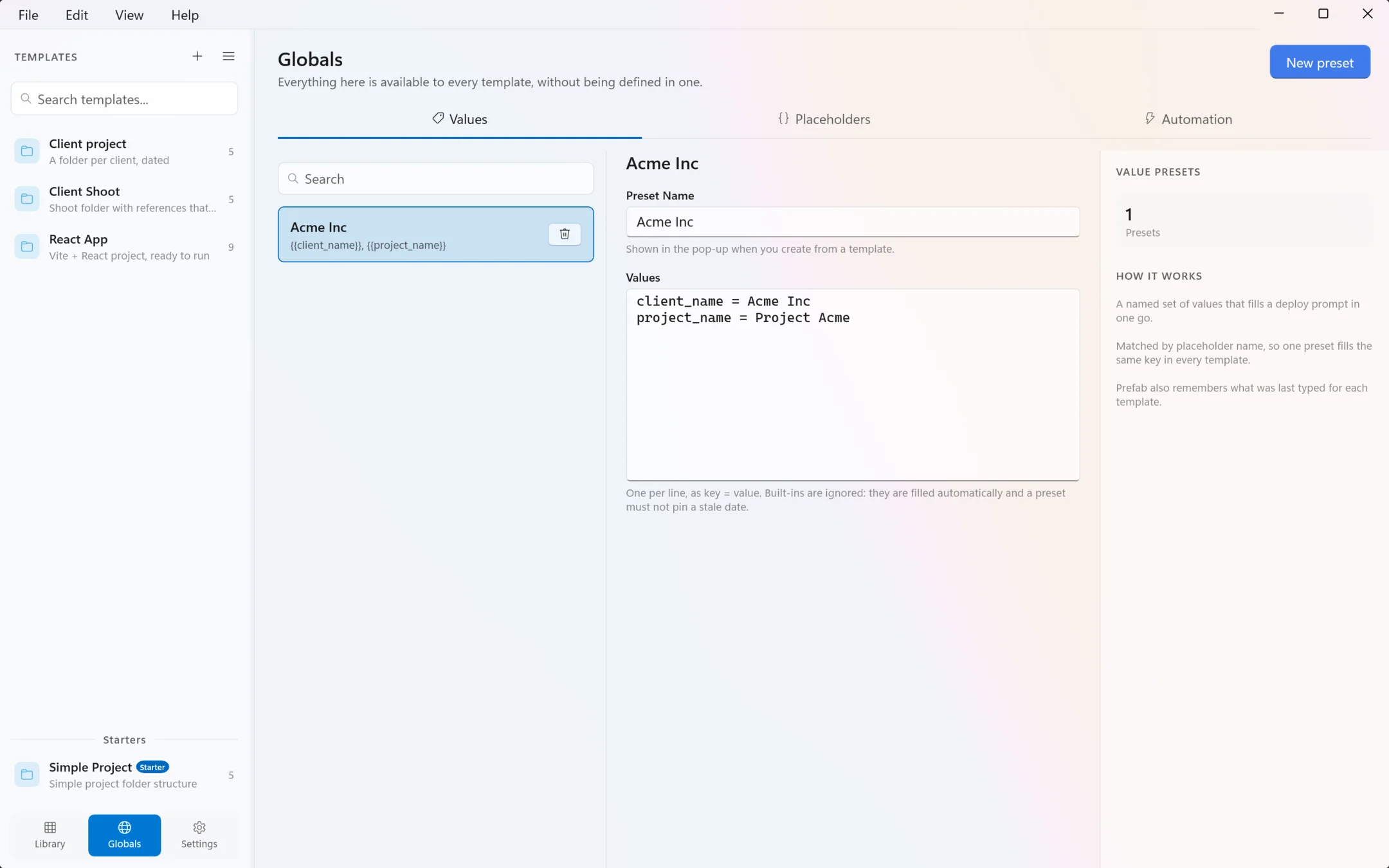
Placeholders in folder names, file names and file contents. Prefab asks once, then fills them in everywhere.
- Deploy from where you are
FinderFile Explorer’s right-click menu, the menu bartray icon, the app itself, or a prefab:// link from a script.
- The setup, not just the folders
git init, npm install, open in your editor, run a command of your own - attached to the template.
- Folders that keep working
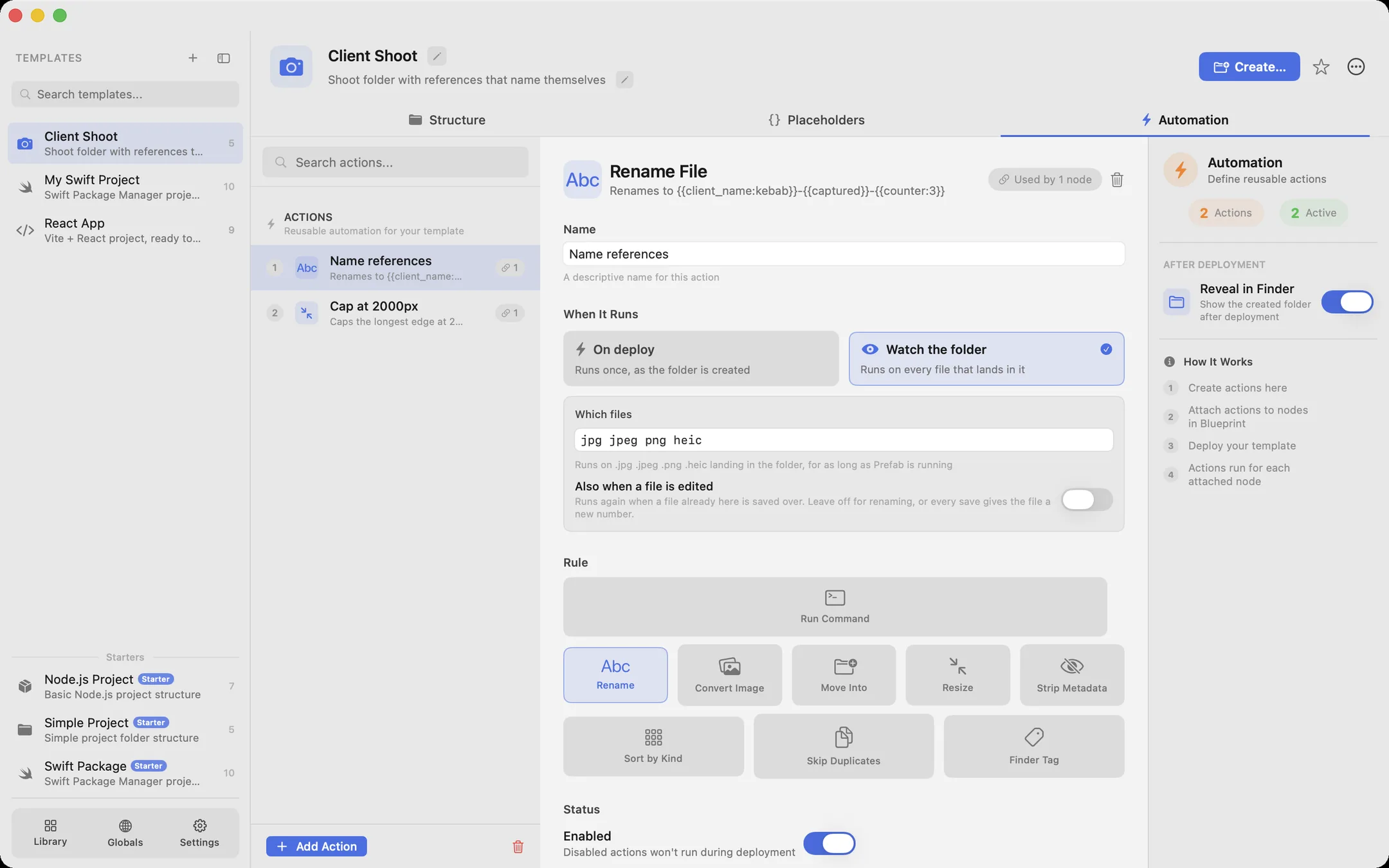
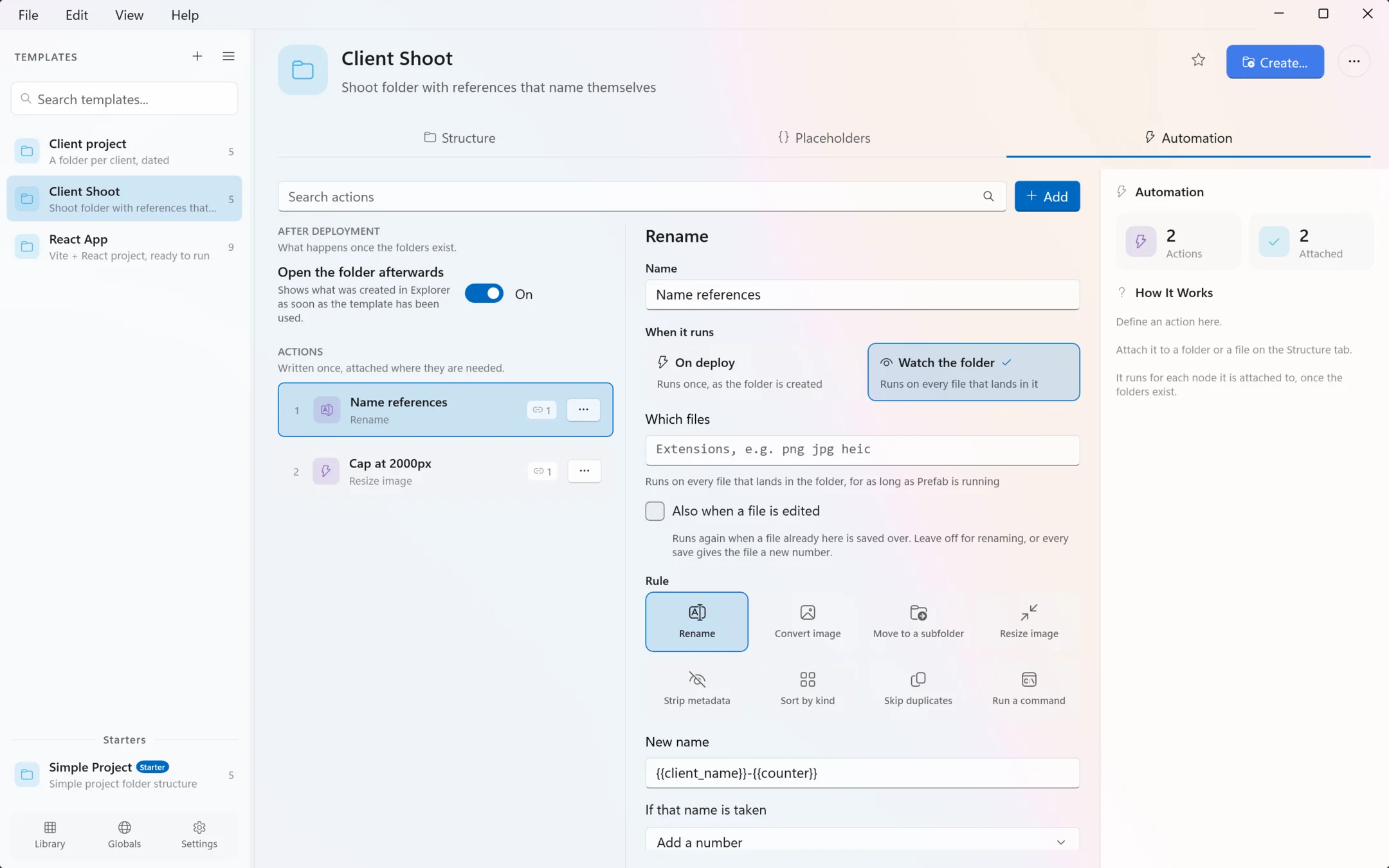
Rules that rename, convert, resize, tag and sort files arriving long after the folder was made.
- Share a template as one file
Export a .prefab file carrying its files and any templates it embeds. Double-click to install.
What you are actually installing
- Requires
- macOS 14.6 or later. Folder icons need macOS 26.
- Privacy
- Sandboxed, with no network access at all. Nothing leaves your Mac.
- Permissions
- Prefab reaches only the folders you grant it. Terminal commands stay off until you install the helper script yourself.
- Finder
- The right-click menu comes from a Finder extension you enable in System Settings.
- Version
- 1.1.6, on the Mac App Store.
- Requires
- Windows 10 version 2004 or later. The right-click menu is in the main menu on Windows 11, and under Show more options before that.
- Privacy
- Prefab makes no network connections. Windows apps are not sandboxed, so that is how the app is built rather than something the system enforces.
- Permissions
- No folder grants to give: Prefab can reach what you can reach. Terminal commands stay off until you switch them on.
- File Explorer
- The right-click menu is installed with the app. There is nothing to enable.
- Version
- 1.1.7, the same number as the Mac, so one version means the same thing on both.
- Signing
- Not yet. Windows SmartScreen shows a blue "Windows protected your PC" box on first run: choose More info, then Run anyway. It says that about any installer it has not seen before, and it stops once enough people have installed it or once the Microsoft Store listing is live, because Microsoft signs what it distributes.
Set it up once. Then stop setting it up.
On the Mac App Store.For Windows, and on the Mac App Store.