Prefab 1.2.0
Most of this release started as an email from someone using Prefab. A folder for every row of a spreadsheet, placeholders that know what a phone number is, fields that appear only when they apply - and a long list of smaller things that were getting in the way.
1.2.0 is on the Mac App Store now.
Download on the App StoreThis page shows the Mac. Windows follows under the same version number, so 1.2.0 will mean the same thing on both.
A folder for every row of a spreadsheet
Create from Spreadsheet takes a CSV or an Excel workbook and deploys a template once for each row. Every column heading fills the placeholder with the same name, so a sheet of clients becomes a folder per client in one go - nested, if the template is.
You see the plan before anything is made. A row missing a required value is skipped and listed, rather than built with a gap in its name.
| client | project | |
|---|---|---|
| 2 | Northwind | Autumn Campaign |
| 3 | Fabrikam | Rebrand |
| 4 | Contoso | Annual Report |
- Northwind — Autumn Campaign
- Fabrikam — Rebrand
- Contoso — Annual Report
Placeholders that know what they are asking for
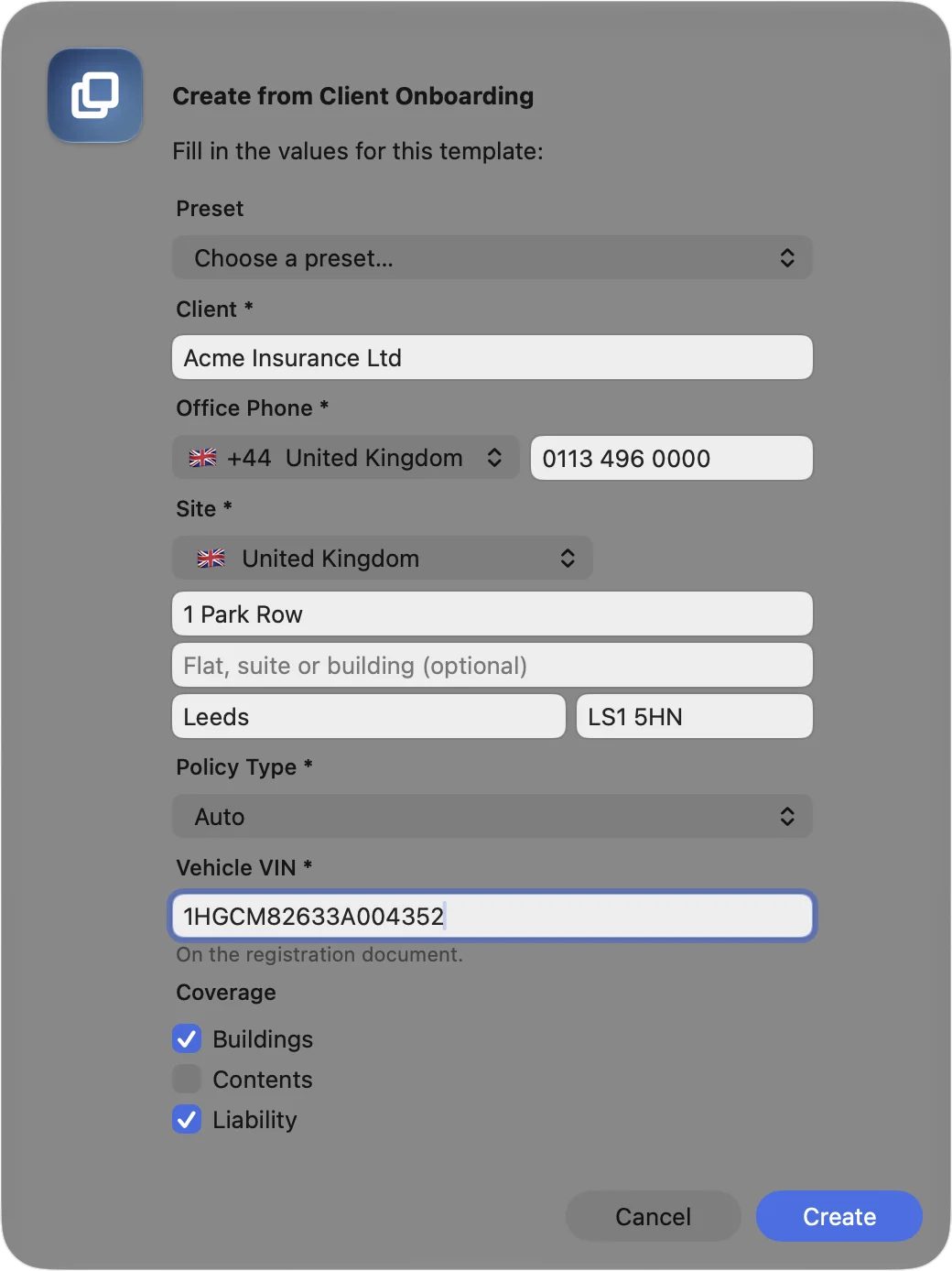
Phone and Address are placeholder types of their own, for any country. A phone number gets a country pop-up beside it and is written the way you choose. An address is asked for in parts, with its postcode checked for the country it is in, and each part can be used on its own - {{site:postcode}} in a folder name, {{site:lines}} for the postal block in a letter.
Rules hold any placeholder to a pattern and can rewrite what matches. Number, Email and URL placeholders now have to be one. A value the rules refuse never makes a folder, however the deploy started.
Fields that appear only when they apply
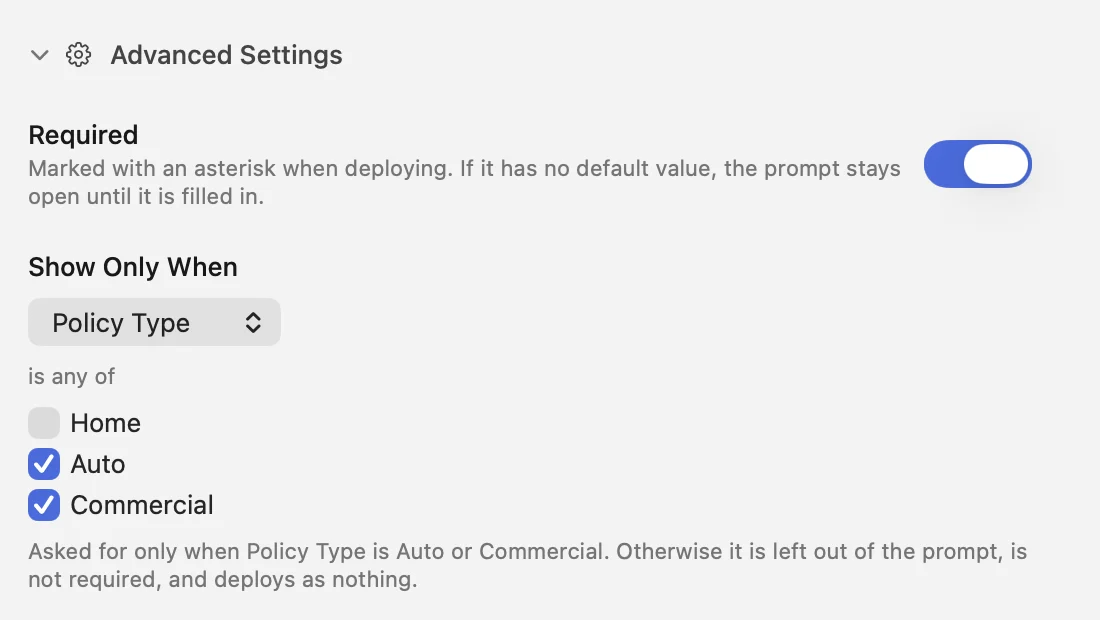
Show Only When asks for a placeholder only on certain answers to another - a vehicle’s VIN for an Auto policy, say. Choose Home and the field leaves the prompt, stops being required and deploys as nothing.
A Selection can take several options at once, a checkbox each. And remembering what was typed last time can be switched off for the whole library, one template or one field, with Clear Fields on the prompt for when it remembered something you did not want.
Building into folders that are already there
Use existing folders, on a template’s Automation tab, builds into a client or year folder that already exists instead of making a numbered copy beside it.
Deploy {{client}} / {{year}} / {{docket}} - {{project}} for a client you already have, and the new project lands inside their folder. Files already there are never touched.
- Northwind
- 2026
- 0398 - Autumn Campaign
- Northwind 01New
- 2026New
- 0412 - RebrandNew
- Northwind
- 2026
- 0398 - Autumn Campaign
- 0412 - RebrandNew
A template’s own folder, and aliases inside it
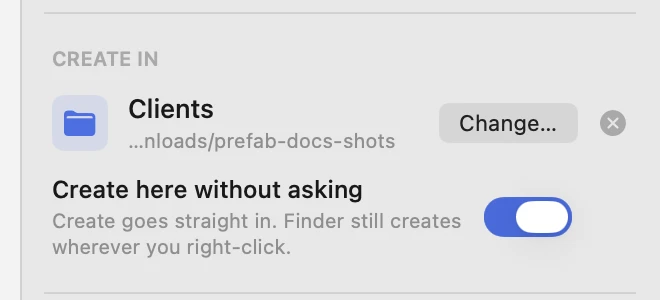
Create In gives a template the folder it belongs in. The picker opens there - or with Create here without asking switched on, Create goes straight in.
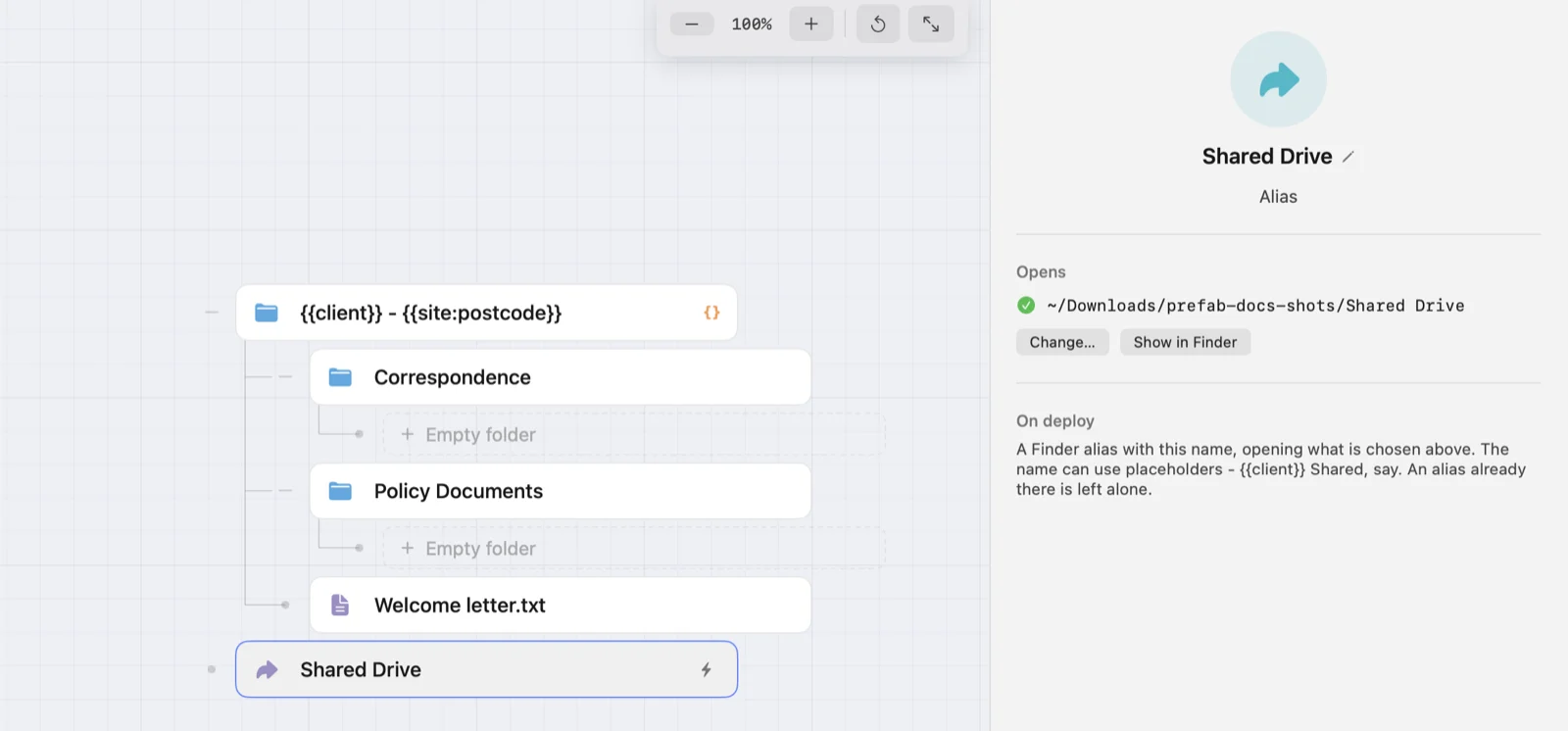
A template can also carry Finder aliases: a way into the shared drive or the client’s server folder from inside every project. The alias is made when you choose what it opens, so deploying does not need that drive connected.
Finder, on every drive
The right-click menu now works on external drives, including ones plugged in after Prefab has started.
iCloud Drive is different: since macOS Sonoma, Finder does not offer any app’s extension a menu there. So there are two ways in that do work - a Prefab button for the Finder toolbar, which lists your templates, and New Folder(s) from Prefab Template in the right-click Services.
- Macintosh HDRight-click menu
- Samsung T7Right-click menuNew
- iCloud DriveToolbar button and ServicesNew
The smaller things people asked for
- A real date picker
The arrow keys change the day, month or year, and each Date placeholder can carry its own format.
- A prompt that fits the screen
A long form scrolls instead of running off the bottom, help text wraps, and Tab brings each field into view with its label.
- Paste in the prompt
Copy, paste, cut, select all and undo work in its fields.
- The keyboard reaches everything
Tab stops at pop-ups and checkboxes too, and the arrow keys change the choice.
- Watched folders match names
A rule can take files by a pattern in their name, not just their type - some .md files rather than all of them.
- Starter templates can go
Delete them like any other template. Settings ▸ Experience puts them back.
- Placeholder names in any language
{{år}} works as well as {{year}}.
- Structure, by keyboard and trackpad
Delete removes the selected item, two fingers move around the canvas, and Command-scroll zooms.
- Obsidian files
.base and .canvas files have their placeholders filled in, like any other text file.
- Export and Duplicate
Both work from a template’s ⋯ menu, and a duplicate keeps every setting.
Thanks to everyone who wrote in
Nearly everything on this page started as an email. If something you need is not here, tell me.